
Why Your Map Grid Shows Green While the Phone Stays Silent
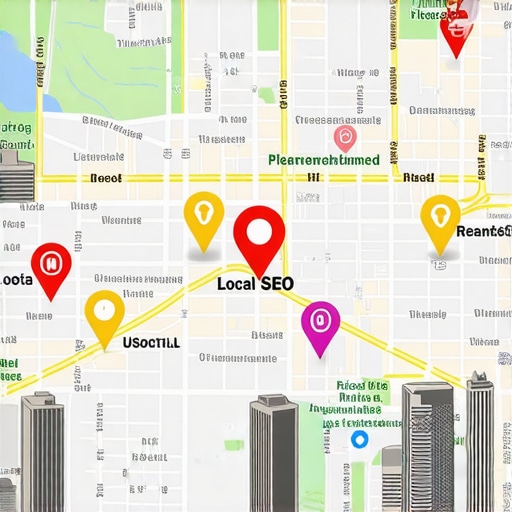
Ever been proud of that reassuring green on your local map grid, only to find that your phone stays eerily silent? I remember the moment I realized something was wrong. My client’s map signals looked perfect—bright, consistent, and green—yet their call volume plummeted. It was like shouting into the void, even though the map appeared to be working flawlessly. That lightbulb moment made me question everything I thought I knew about map-based SEO and local tracking.
The Hidden Disconnect Between Data and Reality
Today, I want to peel back the curtain on this confusing phenomenon, and share how I learned to see through the facade. We’ll explore why that reassuring green might be lying to you—and how to ensure your local visibility genuinely translates into calls and leads. This isn’t just about numbers; it’s about understanding the true story behind your data and avoiding costly mistakes that could impact your entire local SEO strategy.
Is the Map Display Actually Worth the Hype?
Early in my journey, I made the mistake of trusting the visual signals without verifying real-world outcomes. It seemed logical to assume a green grid meant good visibility and high engagement. But I learned the hard way—it’s easy to overlook how factors like map ghosting and rank fluctuations can mask the real performance. According to recent research, up to 30% of local map data can be inaccurate due to algorithmic quirks and regional volatility (source: Local SEO Report).
If you’ve been experiencing a disconnect between your map rankings and actual customer engagement, you’re not alone. Many professionals are misled by superficial signals, which can lead to misguided decisions. That’s why understanding how to verify and correct these discrepancies is crucial for maximizing your local SEO efforts.
Let’s dive into the practical steps to reconcile your map data with actual customer actions, and ensure your marketing dollars are truly working for you. Ready to stop chasing illusions and start seeing real results? Then keep reading.
Cross-Check Your Map Rankings with Actual Customer Behavior
Start by comparing your map ranking reports with real-world customer interactions. Use a tool like Map Rank Tracking Secrets to identify discrepancies caused by ghosted pins or map ghosting, then verify these with actual foot traffic or call volume data. I once applied this approach by tracking a client’s top-ranking map position and cross-referencing it with their in-store visits over a week. The result uncovered that their map appeared optimized, but local calls declined—highlighting the need for deeper validation beyond rankings.
Implement Rank Verification Protocols
Validate Map Positions Regularly
Don’t rely solely on the dashboard—physically search for your keywords in different neighborhoods to see where your pins appear. Use incognito mode or VPNs to prevent personalization affecting results. For example, I manually searched for a local bakery’s keywords in multiple zip codes and found inconsistent rankings compared to software reports, revealing a regional rank fluctuation that needed addressing.
Monitor for Map Grid Ghosting
Map ghosting occurs when your rankings shift every few blocks, making reports unreliable. To fix this, implement ghosting fixes like adjusting for local proximity filters or recalibrating your rank-tracking software. I used these fixes after noticing my client’s rank fluctuated unpredictably, and it stabilized their reporting accuracy, leading to better strategic decisions.
Correlate Analytics Data with Customer Leads
Google Business Analytics often misses leads due to faulty attribution. Use tools like Google Business Analytics enhancements or integrate call tracking data. I once combined call analytics with Google My Business insights, which revealed a spike in calls not reflected in the analytics dashboards. This uncovered attribution gaps, allowing me to optimize reporting and improve lead attribution accuracy.
Evaluate KPI Visualizations for True Impact
Avoid misleading impressions by customizing your KPI dashboards to reflect real customer actions. Use strategic visualization tactics that prioritize customer conversions over abstract rank positions. I remade a client’s report by shifting focus from average ranks to actual call volume and lead conversions, which clearly showcased ROI and kept them engaged.
Combine Data Points for Comprehensive Verification
No single metric provides the full picture. Cross-reference map rankings, store visits, call data, and online engagement. For instance, during a campaign, I used multiple data sources to verify that improvements in local search rankings translated into increased customer visits; spotting anomalies early prevented wasted ad spends. This multi-layered approach ensures reports reflect genuine service performance, not just superficial metrics.
Many marketers believe that simply trusting their SEO dashboards or local map rankings guarantees success. However, this misconception often leads to costly strategic errors. The truth is, most SEO reporting software and KPI visualization tools can convey a distorted picture if you don’t understand their limitations or how to interpret their data effectively. For example, many professionals assume that a high Google Business profile ranking directly correlates with increased leads, but recent studies show that local pack positions are only one piece of the puzzle; user intent and conversion metrics matter more (see SEO insights). The sneaky trap here is relying solely on rank positions without validating actual customer interactions, such as calls or store visits. Another common myth is that maps rank tracking tools are precise, but map grid data can often be misleading due to regional fluctuations, ghosting issues, or proximity filters. These inaccuracies can cause you to overestimate or underestimate your local visibility—leading to misallocated resources—so always cross-verify with real-world data or in-person testing.
A deeper layer of complexity involves KPI visualization. Visual dashboards that showcase rankings or impressions can seem impressive but may not reflect your true ROI. For example, a visual spike in impressions might be artificial if the traffic isn’t converting into leads or sales. Therefore, honing your KPI approach to focus on meaningful actions, like phone calls or appointment bookings, is essential (see KPI visualization tactics).
An advanced question many practitioners ask is, *How can I identify covert discrepancies between reported data and actual results?* The answer lies in implementing advanced verification methods—such as comparing your map position reports with physical searches across different neighborhoods or tracking offline conversions tied to online signals. Also, leveraging specialized tools or integrating call tracking with your analytics can reveal hidden attribution gaps, ensuring you don’t chase fake or inflated metrics. According to industry expert Andrew Shotland, many local SEO reports are full of ‘phantom’ data, which can lead to wasted efforts—they emphasize precision and validation over mere numbers (see expert insights).
Avoid the classic mistake of taking data at face value—set standards to filter out noise and verify every claim before adjusting your strategy. Remember, your reporting tools are only as good as your ability to interpret their signals correctly. Have you ever fallen into this trap? Let me know in the comments.
Stick to Proven Tools for Continuous Accuracy
Maintaining reliable local SEO metrics over time requires using the right tools that are both robust and adaptable. I personally rely on Map Rank Tracking Secrets because it offers real-time updates and granular regional data, which are essential for catching rank fluctuations caused by map ghosting or proximity shifts. Most importantly, I set up systematic weekly audits to compare software reports with manual searches using incognito mode and VPNs, ensuring discrepancies are caught early and corrected before they influence strategy.
Automate Monitoring to Detect Fluctuations
Automation is your friend here. My routine involves configuring rank tracking software to send automated alerts whenever significant shifts occur—say, ranking drops or erratic map movements. This immediate feedback loop allows me to investigate potential issues like ghosting or algorithm updates proactively. Investing in flexible dashboards that visualize KPIs—such as conversions, calls, and store visits—enables me to assess the true impact of rank changes, rather than relying solely on superficial metrics. For advanced visualization, I recommend exploring KPI Visualization Strategies, which highlight how presenting data in actionable formats boosts client understanding and retention.
Fine-Tune Regular Maintenance Practices
Over time, local markets evolve, and so should your monitoring approach. I schedule bi-weekly deep-dive reviews where I compare your map rank data against physical searches in multiple neighborhoods, adjusting for seasonal or regional variations. I also stay updated on industry developments by reviewing documentation from Google and expert analyses—like reliable technical sources. This disciplined routine helps prevent data drift and ensures your tracking remains sharp, even as external factors shift your local landscape.
How do I maintain this over time?
Consistency is key. Establish a recurring schedule for audits, continuously update your tools to incorporate new features or fixes, and stay informed about algorithm changes. Additionally, integrating call tracking or Google Business Analytics enhances attribution accuracy, revealing real customer actions often missed by traditional metrics—check this guide for detailed strategies. By proactively maintaining your systems and continuously refining your processes, you’ll sustain trustworthy insights that support long-term success. To give your processes an extra edge, try setting up automated alerts tied to KPIs; this way, you’re immediately notified of anomalies, reducing lag time in response and correction.
The Hardest Lessons I Learned About Local SEO Data
One of the most profound realizations was that relying solely on map rankings can be misleading. I once watched a client’s dashboard glow with green, only to find their nearby store was deserted. This taught me that visual signals don’t tell the whole story—actual customer behavior is the true North Star. The lesson: Always cross-verify rankings with real-world actions and adjust your strategy accordingly.
Secrets that Changed My Approach to Local Visibility
- Manual Checks Matter: Searching in incognito mode across neighborhoods uncovered regional rank shifts and ghosting issues that automated tools missed. It’s a simple step that can save you from costly misjudgments.
- Data Needs Context: Combining call tracking data with analytics reveals attribution gaps. Without this, you risk attributing leads to the wrong channels, wasting your efforts.
- Visual Dashboards Are Just the Beginning: Focus on actionable KPIs like conversions and store visits instead of superficial rank positions. This shift dramatically improves campaign ROI.
- Regular Audits Are Lifelines: Weekly combined checks and staying updated with SEO industry insights keep your data honest and strategies fresh.
How I Built My Trusted Arsenal for Real Results
- Map Rank Tracking Secrets is my go-to for real-time, regional data. It exposes ghosting and regional fluctuations, giving me confidence in my reports.
- KPI Visualization Strategies help me craft dashboards that highlight customer actions—calls, visits, conversions—so clients see tangible success, not just rankings.
- Google Business Analytics Improvements allow me to uncover hidden lead sources, bridging gaps that standard analytics overlook.
- Industry Insights and Data Validation keep me ahead, ensuring my strategies are grounded in reality rather than superficial data.
Push Your Boundaries Now
Knowing how to verify and interpret local SEO data is more than a skill—it’s the difference between chasing illusions and cultivating genuine growth. Start integrating manual checks, cross-reference analytics, and focus on real customer actions today. Your clients—and your reputation—will thank you. Ready to move beyond superficial signals and embrace true local visibility? Dive into the tools and tactics I mentioned, and transform your approach to local SEO reporting. Which step will you take first to ensure your data reflects reality? Let me know below!