4 Hidden Reasons Your Google Business Profile Stopped Showing to Local Customers
4 Hidden Reasons Your Google Business Profile Stopped Showing to Local Customers
It is the “Silent Phone Syndrome.” You log into your dashboard, and everything looks perfect. Your business is verified, you have a steady stream of 5-star reviews, and your photos are high-resolution. Yet, the phone has stopped ringing. You search for your services from your own office, and your business is nowhere to be found in the local map pack. In the evolving landscape of 2025 and 2026, google business profile seo has transitioned from a simple “set it and forget it” task into a complex, algorithmic battleground where visibility can vanish overnight without a single notification from Google.
Many business owners find themselves in a state of technical limbo: they are verified but “not visible to customers.” This frustration is common in recent local search audits. Even when standing inside their own shop, business owners see competitors from three miles away ranking higher. This isn’t a glitch; it is a symptom of a more aggressive, behavioral-based algorithm. Understanding the gap between your map data and real customer views is the first step toward recovery. To bridge this divide, you must understand How to Fix the Gap Between Your Map Data and Real Customer Views.
1. The “Proximity Trap” and Hyper-Local Filtering
The first and most common reason for a sudden drop in visibility is the tightening of the proximity filter. Google’s primary goal is to provide the most convenient solution to the user. In 2026, the “Proximity, Relevance, and Prominence” triad has shifted its weight heavily toward proximity for high-competition keywords. You might rank #1 at your front door, but your visibility might plummet to #10 just two blocks away. This is the “Proximity Trap.”
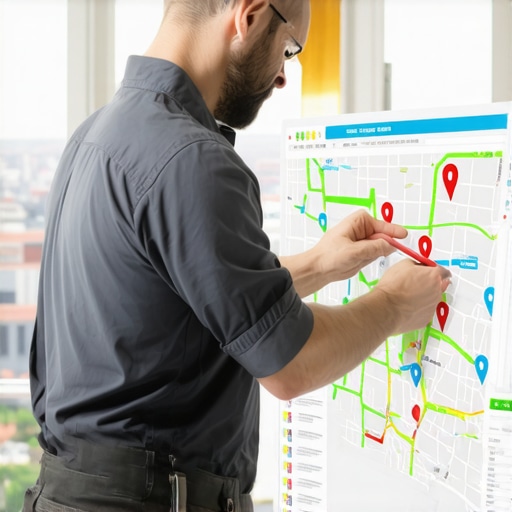
Technical analysis shows that “near me” searches behave fundamentally differently than “service + city” searches. When a user searches for a “plumber near me,” Google shrinks the search radius significantly. If your business is located on the edge of a commercial district, you may find yourself filtered out in favor of a competitor who is physically closer to the user’s GPS coordinates, even if that competitor has fewer reviews and a weaker website. To accurately diagnose this, you cannot rely on a single-point search. You need a google maps rank tracker that provides a grid-based view of your rankings.
Research into recent local proximity updates indicates that businesses moving locations – even by just half a mile – can lose 80% of their established visibility. This happens because the “local authority” you built was tied to a specific geographic coordinate. When the proximity filter tightens, your “prominence” (brand strength) must be massive to overcome the “proximity” deficit. If you aren’t seeing your profile, it’s often because Why Most Map Rank Tracking Tools Fail the 2-Block Proximity Test, leaving you with a false sense of security while your actual reach has shriveled to a few hundred yards.
2. Category Cannibalization & The “Filtering” Effect
One of the most overlooked local seo ranking factors is category selection. Many business owners believe that adding more categories increases their chances of appearing in more searches. In reality, the opposite is often true. This is known as the “Filtering Effect.” If your primary category is “Plumber” but you also list “HVAC Contractor,” “Electrician,” and “General Contractor,” Google may struggle to identify your core specialization.
When Google sees multiple businesses in the same building or immediate vicinity with overlapping categories, it often “filters” the results to show only one. If a competitor has a singular focus on “Plumbing,” Google’s algorithm will likely favor them for plumbing-specific searches over a generalist. To combat this, you must perform a comprehensive google business profile audit. This involves analyzing the top three competitors in the map pack for your primary keyword and identifying their primary and secondary categories. Using a google business profile audit tool can help you identify if your category choices are causing you to be filtered out of the results.
Actionable advice for 2026: Niche down. If 70% of your revenue comes from a specific service, make that your primary category and remove secondary categories that are only tangentially related. Recent data from SEO communities suggests that narrowing your profile to one primary category can instantly restore visibility for that specific term by removing the “confusion” the algorithm feels when trying to categorize your business.
3. Stealth Suspensions & Verification Loops
Sometimes, the reason your profile isn’t showing is more sinister: a stealth suspension. Traditionally, Google sends an email when a profile is suspended. However, we are increasingly seeing “restricted” profiles where the dashboard remains “Green” and says “Verified,” but the profile is suppressed in public search results. This usually stems from “Quality Issues” or “Address Discrepancies.”
If you have recently changed your address, phone number, or even slightly tweaked your business name to include keywords (a risky tactic), you might have triggered a silent review. Google’s AI may flag the profile as “untrustworthy” and stop showing it to users while it waits for further signals or a manual review. This is particularly common for Service Area Businesses (SABs) that lack a physical storefront. If your address is flagged as a residential area or a co-working space that doesn’t meet Google’s strict guidelines, your visibility will vanish.
Navigating this requires patience and a technical approach to documentation. You must ensure your “NAP” (Name, Address, Phone) data is 100% consistent across the web. If you suspect a silent penalty, you need to know How to Recover a Suspended Business Profile Without Waiting Weeks for Google Support. Waiting for support is often a dead end; proactive correction of “Quality Issues” is the only way to regain your google maps seo standing.
4. The “Ghost Rank” Phenomenon
The “Ghost Rank” phenomenon occurs when your rank tracking software tells you that you are ranking #1, but you are receiving zero clicks or calls. This is a devastating disconnect for any local seo agency or business owner. This happens because the ranking is often for non-commercial or low-intent keywords that users aren’t actually searching for, or because your profile is ranking in a “ghost” state where it only appears for your branded name and not for industry-specific terms.
Effective google business profile optimization in 2026 is no longer just about keywords; it is about *intent*. Google tracks behavioral signals: how many people click to call, how many request driving directions, and how many users dwell on your photos. If your profile shows up but no one interacts with it, Google will eventually stop showing it, even if you technically meet all the ranking criteria. This is why Why Your Map Grid Shows Green While the Phone Stays Silent is such a critical concept to master.
To fix ghost ranking, you must shift your focus to local map pack seo that prioritizes conversion. Update your “From the Business” section with high-intent offers, post weekly updates with clear Calls to Action (CTAs), and ensure your Q&A section addresses the most common barriers to entry for your customers. If you are not seeing the results you expect, it may be time to consult a professional google maps ranking service to analyze the behavioral data that standard tools miss.
The 2026 Local SEO Checklist
Local SEO is no longer a “set it and forget it” strategy. The algorithm is live, reactive, and increasingly focused on real-world user behavior. To maintain visibility, you must be proactive. Use local seo tools to monitor your rankings across a wide geographic grid, not just from your office chair. Keep your categories lean, your data consistent, and your engagement levels high.
- Audit your Proximity: Check your rankings every 2 blocks to see where your “visibility wall” is.
- Clean your Categories: Remove overlapping or redundant categories that trigger the filter.
- Verify your Data: Ensure your NAP matches your official government documents and website exactly.
- Boost Behavioral Signals: Encourage customers to not just leave a review, but to upload a photo or ask a question.
If your visibility has plummeted, don’t panic. Diagnose the “why” using these four hidden reasons, and take corrective action. For those who need a more aggressive approach to rank higher on google maps, leveraging a specialized google maps ranking service or advanced local seo services can provide the technical edge needed to outpace the competition. Stay ahead of the curve by using SEO Viper Tools to keep your data accurate and your visibility high.