
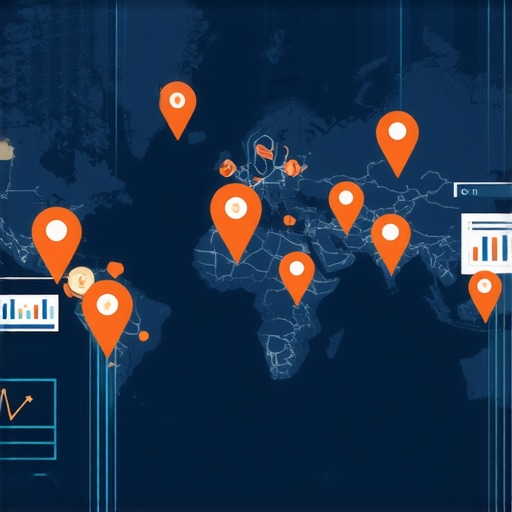
Ever spent hours tweaking your Google My Business profile, only to realize weeks later that your competitors have quietly leapfrogged you in local search rankings? I’ve been there, frustrated and scratching my head, wondering what I was missing. It hit me one day—without proper tools to track my maps rankings and visualize key performance indicators (KPIs), I was flying blind. That lightbulb moment changed everything for me and could do the same for you.
Why Tracking Maps Rankings and Visualizing KPIs Matters Now More Than Ever
The local SEO game is fiercer than ever. According to a recent BrightLocal survey, 76% of people who search for something nearby visit a store within a day. That’s a massive chunk of potential customers, but only if you’re visible when they search. Yet, many local businesses rely on guesswork—checking rankings manually, sifting through scattered reports, or relying on gut feelings instead of data. It’s like trying to drive a car with a broken speedometer—dangerous and ineffective.
Early in my journey, I made a critical mistake: I focused solely on rankings without paying attention to the bigger picture—like how Google Business Insights or KPI visualization tools could tell me whether my efforts were actually boosting my visibility and conversions. I didn’t realize that tracking your position on the map is just part of the story; understanding the KPIs that matter helps you craft smarter strategies and avoid wasting time on low-impact activities.
Let’s be honest—if you’re not monitoring your local map rankings and KPIs, you’re basically shooting in the dark. That’s where effective tools and strategies come in. They allow you to see what’s working and what’s not, so you can pivot quickly and dominate your local area. Today, I’ll walk you through how to harness these powerful tools and insights to make your local SEO efforts more precise, data-driven, and ultimately successful. Ready to stop guessing and start winning? Then let’s dive in.
What’s Holding You Back From Real Local SEO Success?
Set Up Your Tracking Tools Effectively
To make sense of your local SEO efforts, start with a reliable maps rank tracking tool. When I first tried this, I used a free service that only showed rankings manually, which made it hard to track progress over time. I quickly realized that investing in a comprehensive tool like maps rank tracking software transformed my approach. It provided automated, daily updates on your local rankings across multiple locations and keywords, saving hours of manual checking.
Ensure your tools are configured to track the exact keywords, locations, and devices your target audience uses. This precision helps you focus on real-world visibility rather than vanity metrics. After setting this up, I could see which keywords were moving up or down and adjust my strategies accordingly.
Leverage Google Business Insights for Actionable Data
Google Business Insights is a goldmine for understanding how your profile attracts customers. When I integrated it with my tracking setup, I gained data on how many people viewed my profile, clicked on the website, or requested directions. This info told me whether my efforts to optimize my profile were paying off. For example, I noticed a spike in directions requests after updating my photos and posts, confirming the impact of visual content.
Use Google Business Analytics to combine these insights with your ranking data. This holistic view helps you understand not just where you rank but also how visibility translates into customer actions, essential for refining your local SEO strategy.
Visualize KPIs for Clearer Decision-Making
Once you have your raw data, the key is to visualize it effectively. I adopted KPI visualization strategies that turned complex datasets into easy-to-understand dashboards. These dashboards highlighted metrics like average rank, click-through rate, and conversion rate in real time, enabling quick decisions.
For example, I set up a dashboard that compared weekly ranking trends against my local search traffic. Seeing these side-by-side allowed me to identify which rankings directly impacted my foot traffic and sales. This approach prevents data overload—it focuses your attention on what truly matters, like ROI and customer engagement.
Integrate Data for Smarter Strategies
Bringing together maps rank tracking, Google Business Insights, and KPI dashboards creates a powerful ecosystem. I once integrated these platforms using a simple API, which automatically pulled data into a custom dashboard. The result? I could see the direct correlation between my rankings and customer actions without switching between tools.
Regularly review your data, look for patterns, and adjust your tactics accordingly. For instance, if rankings stagnate but your profile views increase, focus on conversion optimization to turn views into customers. This dynamic approach keeps your local SEO efforts agile and results-driven.
For more detailed techniques on building your tracking and visualization system, check out this comprehensive guide.
Many local businesses and marketers fall into common traps when adopting SEO reporting software, maps rank tracking, and KPI visualization tools. While these tools are powerful, believing that they automatically guarantee success is a misconception. Let’s dig deeper into what most people overlook and how to avoid costly mistakes that undermine your efforts.
Why Do Some Think All SEO Tools Are Created Equal?
There’s a widespread myth that all SEO reporting platforms or maps rank trackers deliver the same results. In reality, not all tools are built with the same accuracy or depth. For example, many basic rank trackers only provide snapshot data without historical context or device-specific insights. This can mislead you into making decisions based on incomplete or outdated information. High-quality tools incorporate advanced data collection and offer granular insights that reveal true local ranking fluctuations.
Beware the ‘Set It and Forget It’ Mindset
Another common mistake is assuming that once you set up your Google Business Insights or KPI dashboards, your job is done. This is dangerous because local SEO is dynamic and requires continuous monitoring and adjustment. Relying solely on automated reports can cause you to overlook patterns or anomalies that need immediate attention. For example, a sudden drop in rankings might be linked to algorithm updates, competitor actions, or technical issues—things you can catch early if you stay actively engaged with your data. Regularly reviewing and interpreting this data is essential for sustained success.
How Can You Use Data to Drive Smarter Decisions?
Many users underestimate the power of KPI visualization. Visual dashboards transform complex datasets into actionable insights, enabling you to identify correlations between rankings, customer actions, and overall ROI. For example, if your rankings improve but store visits don’t increase, it indicates that visibility alone isn’t enough—conversion optimization might be your next step. Effective visualization helps you prioritize efforts, focus on what truly impacts your bottom line, and avoid wasting resources on vanity metrics.
Moreover, integrating these data sources into a cohesive ecosystem accelerates decision-making. When your maps rank tracking, Google Business data, and KPI dashboards work in harmony, you gain holistic insights that reveal the full story of your local SEO performance. This approach empowers you to pivot quickly and refine your strategies based on real-time data.
Have you ever fallen into this trap? Let me know in the comments how you navigate these challenges and what strategies have worked best for you. Remember, effective SEO reporting isn’t just about tools—it’s about how you interpret and act on the data. Stay vigilant, stay data-driven, and your local search success will follow.
Keeping your SEO reporting software, maps rank tracking, and KPI visualization tools running smoothly over time requires a proactive approach. I personally rely on a combination of automated monitoring and manual checks to ensure data accuracy and system stability. For instance, I use effective SEO reporting tools that integrate seamlessly with Google Analytics, providing real-time alerts if data discrepancies arise. This way, I avoid surprises and can troubleshoot issues before they impact my strategy.
Routine maintenance includes reviewing account permissions, updating tracking parameters, and verifying that integrations between tools like Google Business Insights and KPI dashboards remain intact. I schedule bi-weekly audits to ensure my data pipelines are healthy, which minimizes downtime and keeps my insights reliable. Additionally, I keep a close eye on updates from software providers—many roll out features or fixes that can significantly improve performance and security if applied timely.
Looking ahead, I believe the trend toward AI-driven automation will make long-term management easier. Advanced systems will increasingly handle routine checks and anomaly detection, freeing us to focus on strategic insights. For example, predictive analytics powered by AI can forecast ranking fluctuations based on historical data, allowing preemptive adjustments. To stay ahead, I recommend experimenting with tools that support automated insights and AI enhancements as they become available.
How Do I Keep My SEO Tools Working Year After Year?
The key to maintaining your tools over time is establishing a routine of regular updates, audits, and backups. Make sure your tracking scripts are current and compatible with the latest platform changes. Keep your dashboards clean and focused—review which metrics truly drive your ROI and eliminate clutter that might obscure critical signals. Also, always stay informed about new features or better alternatives that can improve your workflow. For detailed strategies, check out this expert guide.
Finally, I urge you to test new tools or updates in a staging environment before rolling them into your live setup. This minimizes risks and helps you understand how new features will integrate with your existing systems. Remember, ongoing maintenance isn’t just about fixing problems; it’s about optimizing for future growth. Take action today by exploring automation options for your KPI dashboards and see how they can free up your time for strategic planning.
The Hard Lessons I Learned About Local SEO Tools
One of the biggest realizations I had was that relying solely on basic rank tracking tools was like trying to read a map with half the landmarks missing. I once thought that if I just kept an eye on my rankings, I’d automatically boost my local visibility. Turns out, without deep KPI insights and regular analysis, I was missing the real story behind the data. That epiphany pushed me to adopt more sophisticated tools and strategies, which greatly improved my results.
How I Discovered the Power of Data Visualization
Initially, I struggled with making sense of raw data dumps. It was overwhelming and often misleading. When I started using KPI dashboards designed specifically for local SEO, everything changed. Visualizing metrics like conversion rates, click-throughs, and ranking trends side-by-side helped me spot patterns and act swiftly. Now, I see data not as numbers but as a narrative that guides my next move.
The Mistake I Almost Made with Automation
It’s tempting to set up your tools and walk away, trusting the automation will do all the work. I learned the hard way that continuous oversight is essential. Automated reports can miss anomalies—like sudden drops in rankings or profile views—that need immediate attention. Staying engaged with your data ensures you’re always a step ahead and ready to pivot your strategy when needed.
My Favorite Resources for Mastering Local SEO Insights
- Maps Rank Tracking Secrets: This tool provides granular, location-specific insights that are invaluable for local SEO. I trust it for its accuracy and ease of use. Learn more about it here.
- Google Business Insights: Combining this with my KPI dashboards gives me a full picture of visibility and customer actions. It’s my go-to for understanding what’s working in real time. Discover how to maximize these insights.
- KPI Visualization Strategies: Turning complex data into visual dashboards is a game-changer. It helps me prioritize efforts and allocate resources more effectively. See how to build your own dashboards.
- Expert Guides on SEO Reporting: Ongoing learning is key. I regularly consult comprehensive guides to stay updated on best practices and new tools. Check out these expert resources.
Keep Moving Forward with Confidence
Mastering maps rank tracking and KPI visualization isn’t a one-time effort; it’s a continuous journey. The more I integrated these insights into my routine, the more confident I became in making strategic decisions that truly drive local SEO success. I encourage you to experiment, learn, and adapt—your results will thank you. What’s the biggest challenge you face with local SEO tools right now? Share your experience below, and let’s grow together!
Reading this post really struck a chord with me, especially the part about tracking KPIs beyond just rankings. I used to rely heavily on manual checks and casual observations, which often left me blind to real changes happening in my local SEO efforts. It wasn’t until I started integrating dashboards that I truly began understanding the patterns that mattered—like how certain keywords directly correlated with increased store visits. One challenge I still face is fine-tuning the balance between tracking enough data to stay informed without getting overwhelmed by metrics. How do others here decide which KPIs are essential, especially when managing multiple locations? I’d love to hear about tools or strategies that have helped streamline this process.
This post really hits home for me. I remember spending countless hours manually checking rankings and trying to interpret what all the scattered data meant. Switching to an integrated KPI dashboard, as described, was a game-changer. It allowed me to see, in real time, how different factors—like profile views, clicks, and ranking positions—interacted and influenced my local traffic. One thing I’ve learned is that not all KPIs are equally impactful; focusing on conversion-related metrics alongside rankings has helped me prioritize efforts better. Interestingly, since adopting these tools, I’ve seen a noticeable uptick in actual customer inquiries, not just rankings.
For those managing multiple locations, how do you decide which KPIs to monitor daily versus weekly? I’ve found that setting clear goals—like increasing foot traffic or call volume—helps me narrow down the essential metrics rather than getting lost in data overload. Would love to hear others’ approaches on balancing comprehensive insights with manageable reporting.