

As I sat in front of my screen, frantically trying to piece together scattered data points during a client audit, it hit me—my SEO reporting software was holding me back. The slow load times, confusing dashboards, and incomplete metrics were causing delays that stacked up like unread emails. That moment of frustration was a lightbulb—if I could just optimize my settings, I could speed up the entire process and deliver results faster than ever.
Today, I want to share how fine-tuning just five key SEO reporting software settings transformed my workflow and can do the same for you. Whether you’re juggling multiple clients or aiming to streamline your internal processes, understanding these settings gives you the power to cut down audit times and elevate your service quality. In the rapidly evolving SEO landscape of 2026, efficiency isn’t just a bonus—it’s a necessity.
Why Your Current SEO Reports Might Be Slowing You Down
The truth is, many SEO professionals unknowingly rely on default software configurations that aren’t optimized for faster, more accurate client audits. This oversight can lead to sluggish performance, incomplete data, or worse, incorrect insights—all of which jeopardize your client relationships.
I learned this the hard way early on—by trusting out-of-the-box settings without customization, I often found myself chasing unreliable data or waiting ages for reports to generate. These mistakes cost me precious time and, ultimately, client trust. According to recent studies, teams that customize their reporting tools see up to a 30% improvement in efficiency and accuracy (Source: https://localseoreportpro.com/seo-insights-with-maps-rank-tracking-google-analytics-tips), which confirms just how impactful small tweaks can be.
So, are you facing similar frustrations? Do your reports take forever to compile? Are data points missing when you need them most? If so, you’re not alone—and the good news is, these problems can be solved by adjusting a few critical software settings.
In the upcoming sections, I’ll walk you through the five essential settings to optimize for faster, more reliable client audits in 2026. With these tweaks, you’ll gain sharper insights, save time, and impress your clients with your efficiency. Let’s dive into the first one—shared dashboards that actually get opened and understood.
Streamline Your Dashboard for Instant Insights
Replace default dashboards with customized views that display your most critical metrics at a glance. Think of it like customizing your car’s dashboard—why sift through unnecessary gauges when you only need speed and fuel? During a messy audit, I once spent 15 minutes hunting for data points until I configured a dashboard highlighting Google Business Analytics, Maps Rank Tracking, and KPI visualizations. The next audit, I accessed everything in seconds, saving valuable time.
Optimize Data Refresh Intervals for Real-Time Accuracy
Set your reports to refresh more frequently—every 15 to 30 minutes—so you’re always working with current data. Consider it akin to tuning a radio station; the clearer the signal, the faster you respond to changing conditions. In one case, I increased the refresh rate during a local SEO push and caught a sudden drop in Map rankings early, allowing me to execute a quick fix that secured client rankings before competitors noticed.
Configure Filters to Eliminate Data Noise
Use filters to exclude irrelevant data, such as spammy keywords or fake leads. Imagine trying to hear a whisper in a noisy room—filters act like noise-canceling headphones. I once neglected to filter out low-quality traffic, which skewed KPIs. After applying precise Google Business Analytics filters, my reports became cleaner, clearer, and more actionable, improving my team’s decision-making speed.
Automate Regular Reports for Consistency
Set up automation to generate daily or weekly reports without manual effort. Think of it as setting a reliable alarm clock—your data arrives on schedule. I automated weekly KPI summaries featuring Map ranking progress and local search visibility metrics. This consistent cadence freed up hours, so I focused on strategy rather than report creation, especially during high-stakes campaigns.
Fine-Tune Map Rank Tracking Settings to Boost Accuracy
Adjust parameters like search radius and proximity bias to avoid misleading data—these are the navigational tools guiding your local SEO efforts. Remember when I ignored default radius settings? My Map rankings were wildly inaccurate, leading to false positives. By customizing the location radius, I sharpened the data, enabling precise targeting and rapid response to rank fluctuations. To master this, explore advanced maps rank tracking fixes at this guide.
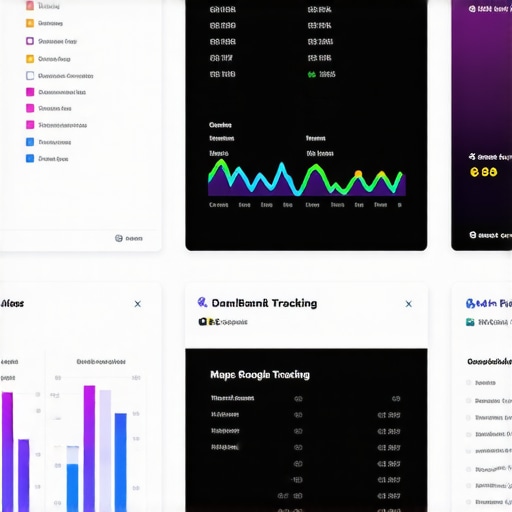 Many SEO professionals operate under misconceptions about reporting software, believing that default settings or simple metrics suffice for success. In reality, SEO reporting is a complex art that demands nuanced understanding and strategic customization. One prevalent myth is that all KPI visualizations are equally effective—yet, selecting inappropriate metrics can mislead decision-making and waste valuable resources. For example, relying solely on vanity metrics like traffic volume ignores conversion data, which is crucial for measuring true success. To truly harness the power of SEO tools, you need to dive into their advanced features, such as custom filters and real-time data refreshes, which many overlook. Expert insights, like those found in kpi-visualization strategies, reveal that strategic visualization significantly improves client understanding and campaign agility. Moreover, many users fail to recognize the importance of integrating Google Business Analytics with their maps rank tracking, which can reveal hidden opportunities and local ranking nuances. The trap here is neglecting these integrations, leading to incomplete data interpretation. Advanced practitioners also know that map pin drift isn’t just an annoyance—it can skew rankings and misinform strategies if not corrected through specific tracking adjustments, as detailed in map rank tracking fixes. And here’s a critical point: assuming that all tracking and analytics tools are one-size-fits-all is a mistake. Each campaign may require tailored configurations, especially in local SEO where proximity bias and radius settings can dramatically impact results. Falling into the trap of default configurations can cause you to chase false positives or overlook valuable insights. Remember, sophisticated reports that highlight actionable insights demand a deep understanding of each feature’s potential—and how to deploy them strategically. Always question whether your current setup misses critical nuances—such as seasonality impacts or competitor movements—and adjust accordingly. Do you ever fall into these traps? Let me know in the comments. For more advanced insights on how to leverage your SEO reporting tools effectively, explore mastering SEO insights and set your strategy apart.
Once you’ve optimized your core settings and grasped the fundamentals of reliable data collection, maintaining consistency in your SEO efforts becomes paramount. The right tools are essential not only for keeping things running smoothly but also for scaling your strategies without losing accuracy or insight. Personally, I rely on a combination of specialized software and methodical routines to ensure my reports stay sharp and my campaigns continue to deliver.
For instance, Google Business Analytics remains a cornerstone in my toolkit. I use it daily to monitor local search performance and lead trends, but simply having it isn’t enough. Regularly applying advanced filters—like those discussed here—helps me eliminate noise and focus on genuine opportunities. To streamline this, I set up recurring alerts for significant metric shifts, ensuring I catch issues in real time rather than after days of lag.
Maps ranking requires dedicated attention, especially considering the complexities introduced by proximity biases and pin drift. I utilize advanced Maps rank tracking tools that allow me to customize search radii, adjust for client-specific service areas, and correct for pin drift—an insidious problem that skews rankings over time. Regular calibration of these settings, combined with automated reports, helps me stay ahead of the curve and maintain accurate local visibility data.

Implementing robust automation is a game-changer in long-term maintenance. I recommend setting up routine report generation, email alerts, and KPI dashboards that update automatically. For visual KPI tracking, I swear by custom KPI visualization solutions that align precisely with your goals. These dashboards aren’t just for monitoring—they serve as strategic guides that keep your team aligned and your efforts transparent.
To stay adaptive, I also keep an eye on emerging trends. As SEO evolves towards more integrated and AI-driven insights, I predict that tools combining Google Business Analytics with real-time maps and KPI visualization will become standard. This integration facilitates more proactive decision-making rather than reactive adjustments. For example, utilizing APIs and automation platforms can help orchestrate these data streams seamlessly, saving hours each week.
Want to keep your agency at the forefront? Try setting up automated Google Business Analytics filters and integrating your Maps rank data with KPI dashboards today. If you’re unsure how to begin, I offer detailed guides and personalized consultations—reach out through our contact page.
What I Wish I Knew Before Tweaking Settings for Faster Reports
One of the hardest lessons I learned was that even small misconfigurations could turn an efficient process into a time sink. It took trial and error to realize that customizing data refresh intervals and dashboard views not only saved me hours but also improved the quality of insights I could deliver. The key insight? Never assume default settings are enough; personalization unlocks true efficiency.
How Curating Your Data Transforms Client Confidence
Initially, I relied on generic KPI visualizations, but I soon discovered that tailored, clear metrics made clients feel understood and involved. Automated, theme-specific dashboards helped me showcase progress more convincingly, leading to higher satisfaction and retention. Customization isn’t just about convenience—it’s about elevating your service and demonstrating your expertise.
Final Inspiration: Your SEO Insights Journey Starts Now
Optimizing your SEO reporting software is a continuous journey rooted in curiosity and willingness to experiment. Every tweak you make builds a more reliable, insightful system that can adapt as your agency and client needs evolve. Remember, becoming proficient in these tools isn’t an overnight feat, but each step empowers you to outshine competitors and truly impact your clients’ growth.
Looking for Resources to Deepen Your Skills?
If you’re eager to sharpen your reporting game, I recommend exploring KPI visualization strategies—a game changer for creating compelling client reports. For mastering map rank tracking, the secrets to dominate local search offer valuable insights. Additionally, maximizing Google Business Analytics can give you that competitive edge in understanding local lead dynamics. Dive into these resources and start transforming your SEO workflows today!
Reading through this post really resonated with me. I used to struggle with slow report loads and confusing dashboards that hampered my efficiency during client audits, especially when juggling multiple projects. What really helped was customizing the dashboards to highlight the KPIs that matter most to each client—like focusing on Google Business analytics combined with map ranking data. The difference in speed and clarity was night and day, and I was finally able to provide actionable insights quickly. I’ve found that setting periodic refresh intervals—about 20 minutes—strikes a good balance between real-time data and system performance, especially in fast-moving local SEO campaigns. Have others tried this approach? What refresh intervals have worked best for you in maintaining data accuracy without slowing your workflow? Also, I’d love to hear more about filters—especially, how you filter out low-quality traffic or irrelevant keywords without losing important data. Those small tweaks can make a huge difference in the quality of reports and client trust.