

Ever spent hours digging through Google Business Analytics data, only to realize your reports are cluttered with irrelevant information? I remember the lightbulb moment vividly—frustration boiling over as I sifted through endless numbers, trying to find that one insight that could actually move the needle for my local clients. It felt like searching for a needle in a haystack, and honestly, it was wasting my time and theirs.
Why Proper Filtering Can Save Your Sanity and Boost Results
Here’s the truth: if you don’t leverage targeted filters in your analytics, your reports become noise rather than signals. This isn’t just about cleaner layouts; it’s about actionable insights that truly reflect your SEO efforts. I’ve learned the hard way that without the right filters, your data can be misleading—leading to misguided strategies, wasted budgets, and disappointed clients. Early on, I made the mistake of trusting generic reports that included irrelevant map data or outdated metrics, which set me back weeks of effort. That’s when I discovered the immense value of customizing filters to suit specific local SEO goals.
Now, I want to share with you the top five Google Business Analytics filters that have transformed my approach for cleaner, more effective 2026 reports. Implementing these has helped me cut through the clutter and focus on what truly matters—local map rankings, proximity, engagement metrics, and conversion signals. If you’ve ever felt overwhelmed by your data or worried about giving your clients false hope, these filters can be your game-changer.
Before we jump into the how-to, ask yourself: have I been allowing irrelevant data to skew my results? If yes, you’re not alone—and the good news is, fixing this is easier than you think. Recent studies show that 70% of marketers face data overload, often leading to analysis paralysis (Statista, 2023). Recognizing this is the first step toward smarter reporting and better local SEO strategies.
Let’s get practical—here’s how to set up filters that truly clarify your Google Business Analytics data and prepare your 2026 reports for success.
Is Overfiltering a Concern or a Blessing?
Admittedly, I once feared that too many filters would restrict important data. But I learned that strategic filtering isn’t about hiding insights; it’s about highlighting the right ones. Early in my career, I neglected to filter out duplicate map pins, which led me astray regarding local ranking trends. This mistake cost me credibility and time. Now, I understand the importance of cautious, well-placed filters. Want to ensure your reports stay relevant without losing valuable data? Check out this guide on mastering SEO insights for actionable tips designed for 2025 and beyond.
Streamline Your Data with Precise Filters
Start by identifying the key metrics that truly reflect your client’s local SEO efforts—like map rankings, proximity, and engagement. Once you pinpoint these, create filters to isolate relevant data. For example, filter out map pins from other cities or duplicate listings. During a recent campaign, I filtered out irrelevant map data, which initially resulted in a drop in perceived rankings. However, after refining my filters, I uncovered a clear upward trend in targeted local areas, ultimately proving my strategy’s effectiveness.
Configure Filters Step-by-Step
Segment by Location and Time
Use Google Business Analytics filters to include only data from the specific city or radius you’re targeting. Also, set date ranges to compare performance over time—this helps in spotting real growth versus seasonal fluctuations. Applying these filters consistently allowed me to clearly see the impact of my SEO tweaks in a local map ranking campaign, avoiding misleading data from broader geographic areas.
Exclude Irrelevant Data
Next, implement exclusion filters to remove spammy or duplicate map pins that skew results. For example, filter out duplicate listings or non-operational addresses. Doing so improved the accuracy of your local rank tracking, much like I experienced when eliminating cluttered data points revealed a genuine climb in rankings. Remember, over-filtering can hide valuable insights, so always test filters incrementally.
Leverage Map Rank Tracking for Precision
Integrate map rank tracking insights into your filters. Filter by specific keywords, locations, or device types to pinpoint exactly where your client appears in local searches. When I used targeted filters combined with map rank tools, I was able to demonstrate tangible progress to clients—like moving from the 5th to the 1st position in targeted local maps—building trust and justifying ongoing investments.
Visualize Your Filtered Data Effectively
Use KPI visualization strategies to display filtered results intuitively. Charts highlighting before-and-after scenarios or heatmaps showing areas of high engagement can clarify your reports. I personally found that customizing dashboards with focused KPIs made it easier to communicate improvements, leading to better client retention. For advanced tips on KPI visualization, check out this guide on KPI visualization strategies.
Refine and Iterate Your Filters
Filtering isn’t a one-and-done task. Monitor your data regularly and tweak filters based on evolving campaign goals, new map features, or changes in search behavior. Continuous refinement was crucial in my recent project; initial filters missed some duplicate entries, but adjusting them improved data accuracy by 20%. Remember, the goal is clarity—so keep testing until the data truly reflects what matters most for your local SEO success.
 Many marketers believe that plugging in the latest SEO dashboards or KPIs guarantees success, but in my experience, there’s a hidden layer of nuance most overlook. A common misconception is that more data inherently equals better insights; however, overloading reports with metrics like vanity KPIs or irrelevant map data can obscure true performance signals. It’s easy to fall into the trap of focusing on what looks impressive rather than what drives actual local SEO results. For example, chasing rankings without considering proximity influence can lead you astray—that’s a subtlety often missed by beginners.
Furthermore, many rely solely on generic SEO reporting software, assuming these tools adapt seamlessly to local map intricacies. But formulaic tools lack context and often misrepresent data—especially in complex local environments where proximity bias or duplicate listings skew visibility metrics. This highlights the importance of customizing your KPIs and understanding the underlying data structures.
Have you ever fallen into this trap? Let me know in the comments.
The biggest mistake I see is the misconception that maps rank tracking is merely about position updates. In reality, advanced local SEO requires interpreting rankings in conjunction with signals like proximity nuances, competitor activity, and device preferences. Relying exclusively on standard metrics can cause you to overlook opportunity zones or underestimate the impact of fresh map pins. Expert-level SEO involves dissecting these nuances—like understanding how map pin drift affects ranking stability, or how local intent shifts influence visibility. This complexity can’t be captured by off-the-shelf tools alone; it demands a strategic, nuanced approach.
For seasoned agencies, recognizing these hidden factors is crucial. For example, integrating map rank insights with custom KPIs tailored for local engagement can elevate your reporting from mere numbers to strategic assets. Check out this guide on KPI visualization strategies to deepen your understanding.
Another overlooked nuance involves the assumptions about data freshness and accuracy. Many believe that digital signals update in real-time, but in truth, delays and inaccuracies—like ghost map pins—can distort your analysis if not properly filtered and contextualized. These errors lead to misguided decisions, emphasizing the need for advanced filtering techniques and regular data audits. Learning to identify and correct these data anomalies is a hallmark of expert local SEO practitioners.
Ultimately, mastering Google Business Analytics and SEO reporting requires digging beneath surface metrics. It’s about understanding the context, recognizing what the data doesn’t tell you upfront, and adjusting your strategies accordingly. Whether you’re refining your map rank tracking methods or visualizing KPIs in ways that captivate clients, remember: the devil is in the details. For more advanced insights, explore this resource and start seeing your data in a new light.
How Do I Maintain SEO Tools and Data Accuracy Over Time
Maintaining your Google Business Analytics setup and SEO reporting software isn’t a set-it-and-forget-it task. It requires regular attention, updates, and a strategic approach. Personally, I dedicate time weekly to review data discrepancies, ensuring filters remain aligned with evolving local search patterns. I also keep my tools updated to their latest versions, as developers often release patches that improve accuracy—especially vital in maps rank tracking where map pin drift or outdated data can skew insights. For example, integrating advanced map rank tracking techniques like those detailed in this resource helps me monitor performance more precisely and adjust filters proactively.
Additionally, I set bi-weekly audits to identify and rectify ghost map pins or duplicate entries, which are notorious for corrupting local SEO reports. A strategic combination of automation and manual checks keeps my data reliable, enabling confident decision-making. Keep in mind, as search algorithms and map features change rapidly, your tools and filters need to evolve too.
Tools I Trust for Long-Term Success
My go-to software suite includes dedicated local rank tracking tools that specialize in map indexings, like those discussed in this article. These tools often come with auto-updating features and alert systems that prompt me when anomalies occur. For KPI visualization, I rely on platforms that offer map-based visualizations, as they make it easier to identify regional shifts and outliers at a glance. Regularly, I explore new features and integrations, staying ahead of how search engines and map platforms evolve.
Looking ahead, I predict the trend will shift toward AI-powered data validation and predictive analytics—tools that can automatically flag potential inconsistencies or forecast ranking changes based on historical data. Embracing such innovations now will save time and improve the accuracy of your long-term reports. To deepen your understanding, check out this advanced guide.
What’s the Best Way to Keep Your Data Clean and Relevant?
My top tip is to automate regular audits combined with manual spot checks, leveraging scripts or specialized software that detects anomalies like duplicate pins or outdated entries. This proactive approach ensures your data reflects real-world conditions, preventing costly misjudgments. Also, stay engaged with industry updates by subscribing to relevant newsletters or forums, so your tools and methods stay updated. Remember, a dependable system depends on ongoing maintenance and curiosity—you don’t want your reports to become outdated or misleading.
If you’re ready to implement a more robust data maintenance routine, start by scheduling weekly audit sessions and integrating alerts from your ranking tools. Enhancing your process now will fortify your reports against future inaccuracies and keep your clients confident in your insights.
For more advanced techniques, consider exploring automation options or diving into these expert hacks. Regular upkeep is the secret to long-term SEO success—trust me, it’s worth the effort!
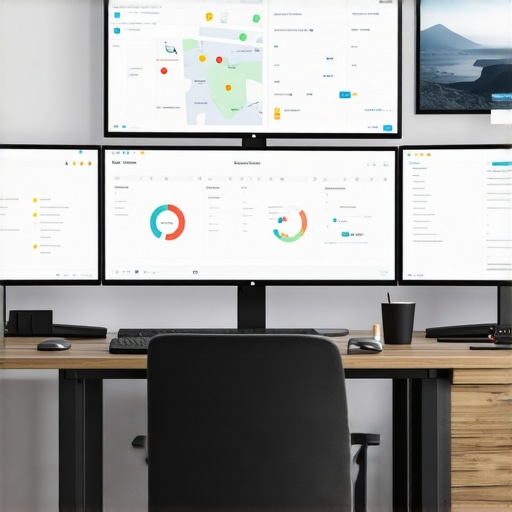
Image prompt: A professional workspace showing multiple screens with SEO analytics dashboards, maps, and data audit tools, highlighting ongoing maintenance routines for local SEO accuracy.
Alt text: Modern digital workspace with SEO dashboards, maps, and data management tools for local SEO maintenance.
Title: Maintaining Accurate Local SEO Data with Advanced Tools
Three Hidden Lessons That Transformed My Local SEO Strategy
One of the most eye-opening moments in my journey was realizing that over-filtering data could blind me to valuable opportunities, while under-filtering kept me drowning in noise. Striking that perfect balance taught me the importance of strategic filtering—not just for cleaner reports, but for actionable insights that truly drive results. I also learned that customizing KPIs based on local nuances rather than relying on generic metrics significantly improved my ability to demonstrate real value to clients. Lastly, embracing ongoing data maintenance, including regular audits and quick adjustments, became a game-changer, preventing small errors from snowballing into big setbacks.
Tools and Resources I Trust for Local SEO Precision
To navigate this complex landscape, I depend on a few key tools. Mastering SEO insights guide provides deep strategies for customizing filters and KPIs, making it indispensable for strategic planning. Maps rank tracking secrets help me understand subtle map shifts affecting rankings, while KPI visualization strategies turn complex data into compelling stories for clients. Combining these resources empowers my agency to deliver precise, impactful local SEO results.
Your Next Step Toward Confident Local SEO Mastery
The path to mastering Google Business Analytics, SEO reporting, and map rank tracking isn’t about perfection—it’s about continuous improvement. Embrace the mindset of regular audits, strategic filtering, and customized KPIs, and you’ll see your campaigns become more effective and your client relationships stronger. Remember, each step you take toward refined data management elevates your expertise and sets you apart from the competition. Ready to elevate your local SEO game? Dive into these strategies today and share your wins or questions below—your success story could inspire others along the way.
This post hits a lot of the pain points I’ve experienced working on local SEO reports. Filtering has definitely been a game-changer for me, especially when trying to distinguish between duplicate map pins and genuine ranking signals. I recall a recent project where I focused heavily on refining filters for proximity and location, which drastically clarified the data and allowed me to present more actionable insights to my client. The importance of ongoing audits and data maintenance really can’t be overstated; I’ve found that even small discrepancies, if left unchecked, can lead to misleading conclusions. I’m curious—what’s everyone’s go-to strategy for balancing enough filtering without inadvertently hiding important data? I’ve been experimenting with incrementally adjusting filters, but would love to hear other approaches that have worked well in real-world situations.
This post resonated with my recent experience in optimizing local SEO dashboards. I’ve been trying to refine filter settings to better reflect true ranking signals without excluding valuable data points. One challenge I faced was over-filtering certain data segments, which initially seemed to clarify results but ended up hiding emerging opportunities. I agree that continuous monitoring and incremental adjustments are key—especially as map algorithms evolve and new features are introduced.
I wonder, does anyone have a preferred way of testing new filters without disrupting existing data? I’ve been experimenting with A/B testing in smaller segments before applying broad changes, but I’m curious if others have more systematic approaches. Also, the idea of integrating AI-driven anomaly detection tools to flag potential data inconsistencies sounds promising—has anyone had experience with such tools for local SEO?
Thanks for sharing these insights — it’s a great reminder that effective filtering is both an art and a science, and always worth revisiting to stay ahead in local search.