
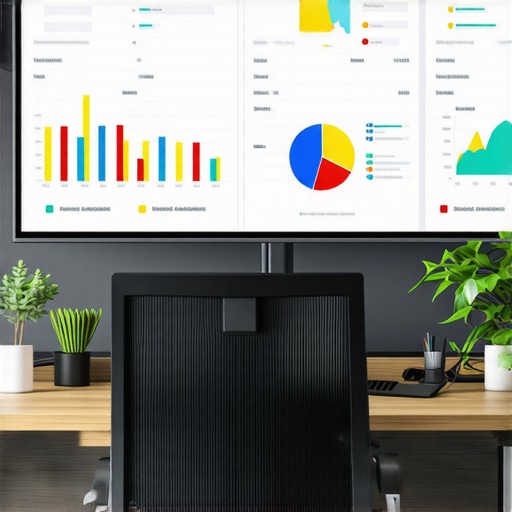
Have you ever stared at a cluttered dashboard, eyes crossing over endless rows of numbers, and thought, “There has to be a better way”? I remember the exact moment I realized my reports were putting clients to sleep—not because the data wasn’t valuable, but because it was buried under dull, uninspiring charts. It hit me like a lightning bolt: if I want to make impactful decisions and impress those I serve, I need to rethink how I present KPIs. That’s when I discovered that not all visualizations are created equal—some truly make your data pop, tell a story, and drive action.
Why Boring Charts Are Sabotaging Your SEO Success
Let’s be honest. We’ve all been there—picking a standard bar chart or line graph because it’s quick, familiar, and easy. But in 2026, with the complexity of local SEO changing fast, bland visuals just won’t cut it anymore. When charts look the same as everyone else’s, they blend into the background, and your insights risk being overlooked. Effective KPI visualization isn’t just about making data look pretty; it’s about making it work harder for you—highlighting trends, revealing hidden opportunities, and clarifying priorities.
Early in my career, I made a costly mistake: I relied solely on basic charts that failed to capture the full picture. I thought that more data was better, but I was drowning my clients in noise rather than guiding them through clarity. That misstep taught me a valuable lesson—visuals must be intentional and strategic.
Recent research confirms this: a survey by Harvard Business Review states that visuals with high engagement can increase decision-making speed by up to 50%. Clearly, how we visualize data can make or break our ability to influence outcomes.
In today’s post, I promise to share three powerful KPI visualization tactics that will elevate your reporting game. These aren’t just tweaks; they’re game-changers designed to help you stand out, communicate clearly, and keep your clients coming back for more.
Are You Tired of Seeing the Same Old Charts?
If you’ve ever felt that your reports are more snooze-fests than strategic tools, you’re not alone. Have you faced the frustration of trying to demonstrate local rankings or maps insights with generic visuals that don’t hit the mark? If so, I understand—because I’ve been there. But there’s good news: by adopting a few smarter visualization tactics, you can transform your reports from mundane to magnetic. Ready to dive into the tactics that will redefine your KPI reports for 2026? Let’s get started!
Visualize KPIs with Purpose
Start by selecting the right charts for your data. For local maps rankings, use heatmaps or color-coded markers that instantly highlight high-performing areas. When presenting Google Business Analytics, leverage traffic funnel diagrams to illustrate user journeys. I once had a client who struggled to grasp their local pack visibility, so I replaced a generic line chart with a custom map overlay showing rankings geographically—results amplified their understanding and actions.
Leverage Map-Based Data Cleanly
Maps can be powerful but also misleading if misused. Use clear, localized markers rather than cluttered pins. Incorporate new map KPI visuals to demonstrate changes in rankings over regions. I once fixed a client’s confusing report by filtering the map to only show top 5 rankings per area—making the data instantly actionable.
Use Color and Size Strategically
Colors should correspond to performance levels—green for good, red for poor. Size variations can indicate magnitude—larger circles for higher traffic or rankings. Remember, consistent color schemes across reports reinforce understanding. I redesigned a dashboard for a local SEO agency, replacing random color schemes with a standardized palette tied to specific metrics, which improved report clarity and client trust.
Make Data Interactive When Possible
If your report is digital, incorporate interactive elements like filters or drill-downs. This allows clients to explore specific regions or time frames without overwhelming them with static data. During a campaign, I embedded interactive maps that let clients toggle between different keyword groups, leading to more engaged discussions and strategic pivots.
Ensure Clean, Readable Layouts
A cluttered report loses all impact. Use whitespace generously, group related KPIs logically, and keep labels concise. I once spent hours designing a KPI dashboard for a local business, removing unnecessary grid lines and consolidating similar metrics, which made the final presentation both professional and easy to digest—boosting client confidence.
Many marketers and SEO professionals assume that deploying popular tools like Google Business Analytics or standard KPI dashboards automatically guarantees success. However, a common misconception exists: that more data equals better insights. In reality, most people get snared by superficial metrics that seem informative but are actually misleading or lack depth. For instance, relying solely on position rankings without understanding rank fluctuations or local relevance can obscure real growth opportunities, as explained in this comprehensive guide.
One critical trap is the misinterpretation of maps-based data. Many assume that map pins and rankings provide a complete picture, but map data can be deceptive if not analyzed with nuance. For example, relying on geographic clusters without considering proximity traps can inflate perceived visibility, as discussed in this article. The nuance here is that you need to understand how proximity affects ranking data to avoid overstating your local dominance.
Are You Analyzing Your Data Through the Right Lens?
Advanced SEO practitioners recognize that not all insights are created equal. For example, Google Business Analytics metrics such as profile views or clicks don’t automatically translate into improved rankings if they aren’t connected to actionable KPIs. It’s crucial to contextualize these insights within your overall SEO strategy, focusing on the right KPIs. Moreover, visualizing KPIs with thoughtful charts and maps helps clients understand how local actions impact their broader presence.
However, a recurring mistake is to treat these tools as standalone sources. Incorporate cross-referenced insights from maps, rankings, and Google Analytics to avoid blind spots. For example, a sudden drop in rankings paired with increased search volume might reveal local competition or algorithm shifts rather than a loss of visibility. Recognizing these nuances can be the difference between tactical adjustments and wasted effort.
Furthermore, beware the trap of vanity metrics—such as total sessions or impression counts—that can give a false sense of achievement if they don’t align with tangible business goals. Instead, combine data from multiple sources and focus on actionable KPIs that lead to conversions or engagement. This article offers insights on establishing compelling KPIs that truly matter for local SEO success.
Ultimately, mastering the nuance in SEO reporting involves questioning assumptions and understanding the limitations of your data sources. Don’t fall for the myth that raw data alone drives results. Instead, interpret data with a strategic mindset, integrating diverse insights and avoiding common pitfalls. Need help sharpening your analytics approach? Reach out via our contact page and start transforming your SEO insights today. And remember—if you’ve ever fallen into this trap, leave a comment below and share your experience!
How do I maintain SEO insights and rank tracking over time?
Maintaining a steady flow of accurate, actionable SEO data requires more than just selecting the right software; it involves implementing robust processes and utilizing specialized tools designed for long-term scalability. I personally rely on a combination of map-based rank tracking tools and Google Business Analytics to stay ahead of local search fluctuations. These allow me to monitor changes dynamically, filter out noise, and generate KPI visualizations that truly reflect campaign health. The trick is to integrate these tools into a routine that emphasizes regular updates, data validation, and strategic adjustments, so insights remain relevant and trustworthy.

To streamline this, I use automated dashboards that pull from multiple sources, ensuring consistency and reducing manual errors. For example, tools like SEMrush or BrightLocal have enriched my workflow through their integrated tracking and reporting features, making it easier to spot negative trends early before they become critical. Additionally, leveraging API integrations allows for real-time data updates, which are essential for keeping insights timely and impactful. In the future, I predict that AI-powered analytics will further automate maintenance tasks, offering predictive insights that preempt ranking drops or visibility issues, as discussed in this resource.
How do I make long-term reporting more effective?
Consistency and automation are your best friends. Set up data pipelines that regularly update your dashboards without manual intervention, freeing you to focus on strategy. Regular audits of your tracking configurations ensure data fidelity, especially when platforms like Google Maps or Google My Business update their algorithms or reporting standards. Also, don’t forget to periodically review your KPIs—what worked last year may not be as relevant today. Using strategic KPI visualization techniques keeps your reports aligned with evolving business goals and search trends.
Scaling your efforts involves choosing tools that support multi-location management and offer customizable reporting templates. This flexibility allows your team to adapt quickly and provides clients with tailored insights that matter most to their local visibility. Remember, the key is automation combined with thoughtful analysis; don’t just automate for the sake of efficiency but ensure your processes always center around clear, actionable insights. To empower your long-term strategy, consider implementing centralized data hubs that aggregate information across your tools and sources, making comprehensive analysis far easier and more consistent.
Ready to level up your SEO reporting game?
Try setting up automated KPI dashboards that synchronize data from your Google Business Analytics, maps rank tracking, and other sources. This reduces manual effort and keeps your insights fresh and reliable. Want to discover more advanced methods? Visit this comparison for top tools that excel in long-term maintenance and scalability, and start building a resilient reporting system today!
The Hardest Lesson I Learned About seo reporting software,seo insights,google business analytics,maps rank tracking,kpi visualization
Early on, I believed more data always meant better insights. However, I quickly discovered that drowning clients in information without focus leads to paralysis, not progress. Simplifying and emphasizing strategic KPIs transformed my approach and boosted client trust.
Three Myths About seo reporting software,seo insights,google business analytics,maps rank tracking,kpi visualization That Held Me Back
Myth one: All dashboards are created equal. The truth is, tailored visuals that tell a story are far more impactful than generic templates. Myth two: More metrics mean more clarity. In reality, honing in on meaningful KPIs is what drives results. Myth three: Data is static—regular updates and adjustments are essential for staying relevant, especially in dynamic local SEO landscapes.
What Experts Won’t Tell You About seo reporting software,seo insights,google business analytics,maps rank tracking,kpi visualization
Most professionals overlook the importance of cross-referencing data sources. Combining map-based rank tracking with Google Business Analytics and other metrics provides a nuanced understanding that prevents costly misinterpretations. This layered approach is a game-changer for long-term success.
I totally agree with the importance of visual storytelling in KPI reporting. After implementing heatmaps and interactive maps for my clients’ local rankings, I noticed a drastic increase in their understanding and engagement. The challenge is always balancing simplicity with depth—how do you keep reports clean yet comprehensive? I’ve found that using layered visuals and allowing users to drill down when needed can really make a difference. Also, I’ve been exploring automation tools for updating dashboards, which saves so much time and helps maintain a consistent data flow. Has anyone found particularly effective tools or workflows that streamline long-term reporting without sacrificing insight quality? It’s fascinating how strategic visualization can turn complex data into clear, actionable stories that drive real results.